How Much Data Do You Need for Google Maps?
Google Maps is one of the most data-efficient apps, using only a minimal amount of traffic. At the same time, it is an indispensable tool when traveling or exploring a new city. The exact amount of data you will need during a 3-day or 7-day trip depends on how you use the app: whether you download maps for offline use and how many, whether you enable 3D view, and whether you rely on online turn-by-turn navigation. Below, we explain how much MB this app typically consumes, recommend a suitable travel eSIM plan, and share tips for saving mobile traffic.
Google Maps Data Usage
On average, this app consumes ~ 5-10 MB per hour. If you use it continuously throughout the day, as is often the case when visiting a new city, the total usage is typically around 100-200 MB. More detailed information by activity is provided in the table below.
| Type of activity | Internet usage |
| Single route calculation | from 100 to 300 KB on average, up to 1 MB max |
| Online navigation with turn-by-turn directions | 1-10 MB/hour |
| Bird View/Satellite mode | 5-10 MB/minute, 200-300 MB/hour |
| Downloading an offline city map | 300-500 MB |
| Downloading an offline regional map | 200-700 MB |
| Downloading an offline country map | 1.5-2.5 GB |
How to Reduce Mobile Data Usage on Google Maps
A navigation app can consume mobile traffic even when you are not using it directly. To minimize usage, you can turn off background data. Here’s how:
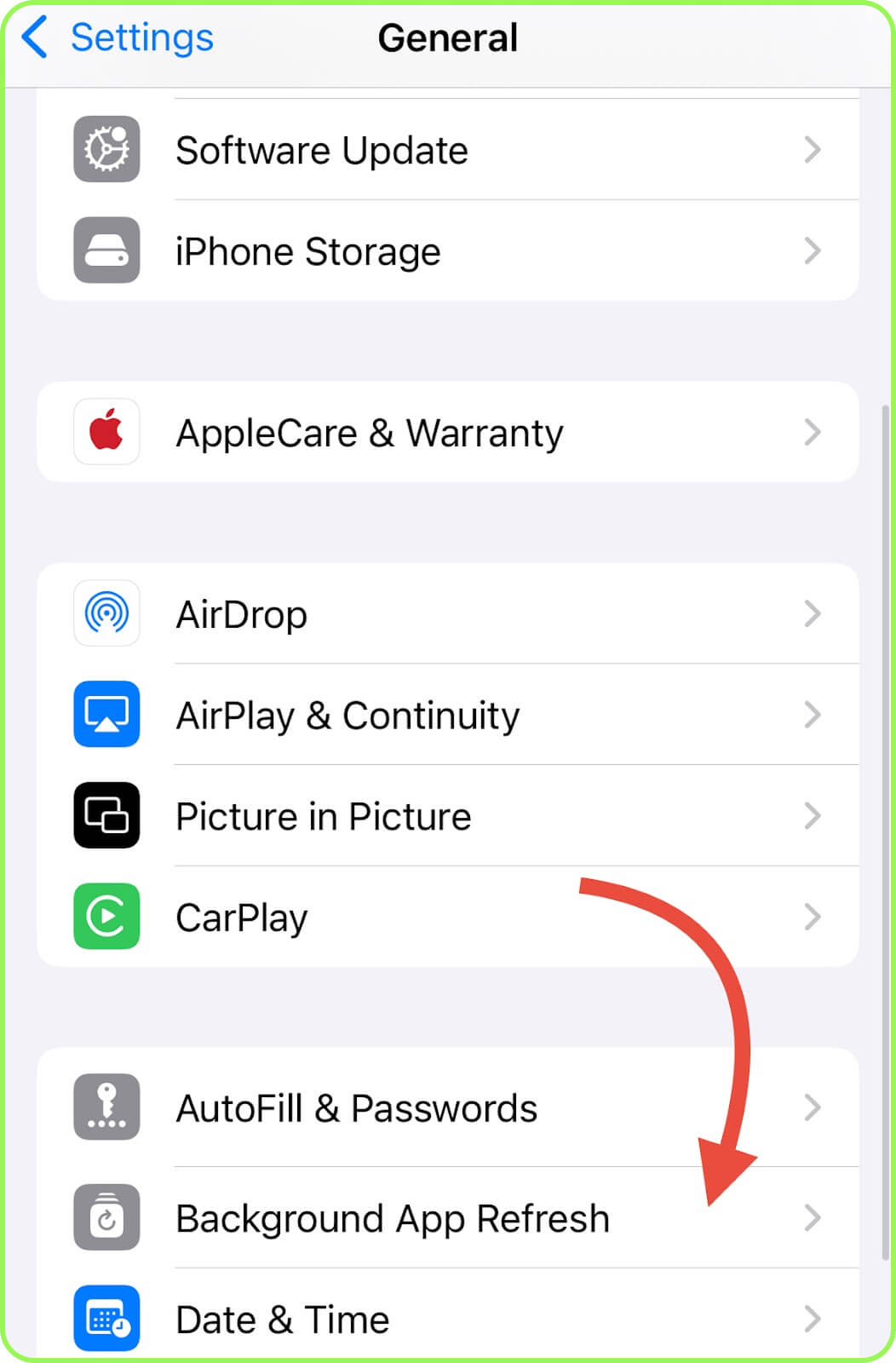
- iPhone: Go to «Settings», navigate to «General», select «Background App Refresh», scroll to Google Maps, and switch it off.
- Android: Open «Settings», navigate to «Apps», select «Google Maps», open «Mobile Data & Wi-Fi», and switch off «Background Data».
Also, if you do not want to use any mobile traffic and plan to rely solely on offline maps that you have downloaded in advance, you can enable the «Wi-Fi Only» option. Here’s how:
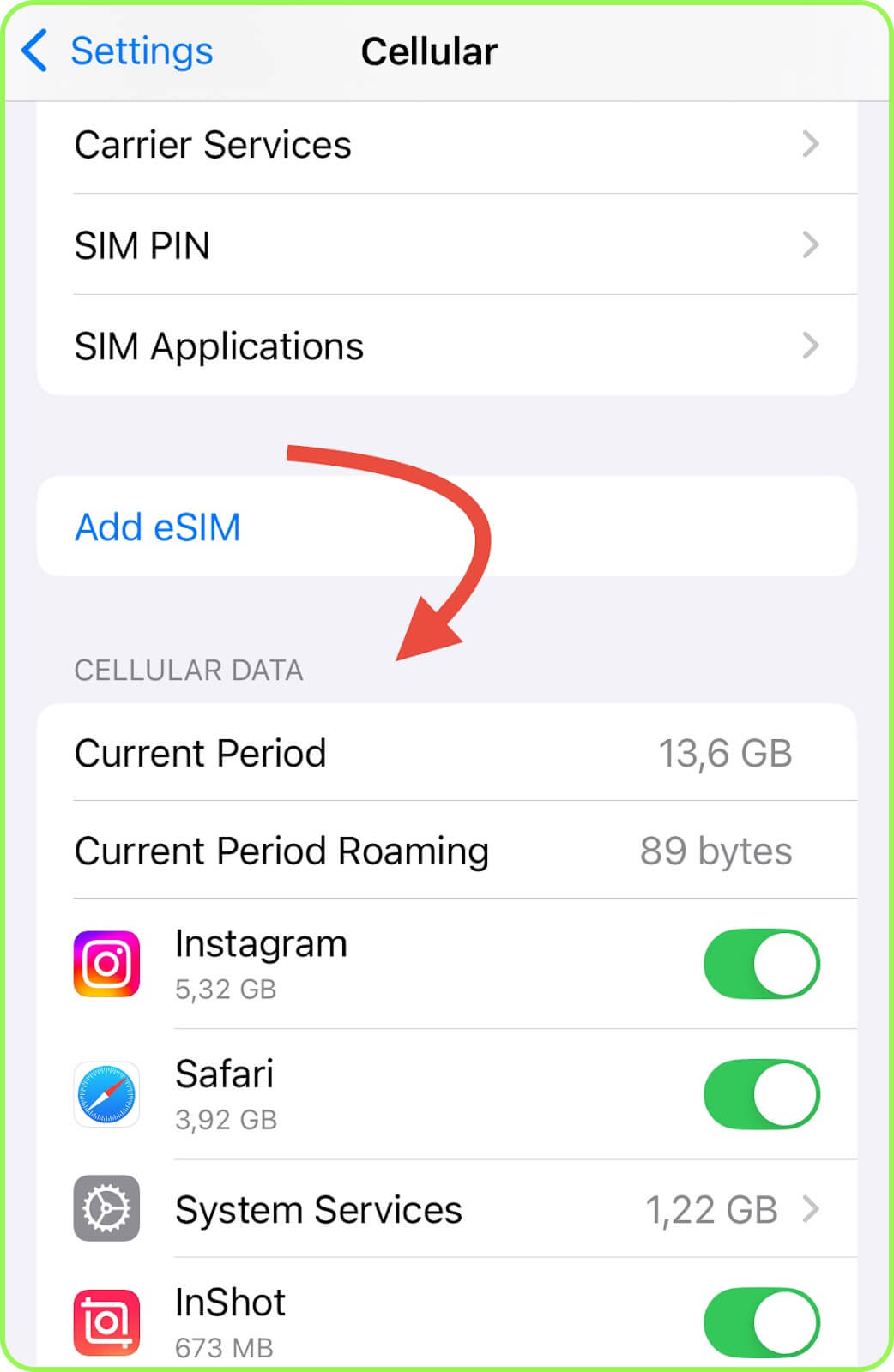
- iPhone: Go to «Settings», choose «Cellular», and under «Cellular Data» disable Google Maps.
- Android: Go to «Settings», access «Apps», select «Google Maps», then enter «Data Usage»/«Mobile Data and Wi-Fi» and switch off «Mobile Data».
Conclusion
You can comfortably use Google Maps while traveling, even with a small eSIM data plan. For a trip of up to seven days, for example, you could purchase a 3 GB eSIM for Italy or France. On average you will consume only about 100-200 MB per day. The only exception is Satellite mode, which has the highest usage at 200-300 MB per hour. To save MB, be sure to disable background activity as well.