How Much Data Do You Need for Spotify?
Spotify is a fairly data-efficient app, allowing you to use it easily while traveling with a travel eSIM. The key factor is audio quality: in «Normal» mode it consumes only about 40-45 MB per hour, but at higher settings it can reach up to 150 MB per hour. You can find more detailed calculations from our PrimaSIM team along with useful tips on how to save data while traveling in the section below.
Spotify Internet Usage
On average, users spend only about 90 MB per day (roughly 2 hours of listening) to 160-180 MB per day (around 4 hours) when using «Normal audio quality». However, with «Very High quality» and longer listening sessions of 4+ hours, internet usage can reach 550-600 MB per day. More details can be found in the table below.
| Audio Quality | Bitrate | Intenet Usage per Hour |
| Low (~24 kbps) | 24 kbps | ~ 10-11 MB/hr |
| Normal (~96 kbps) | 96 kbps | ~ 40-45 MB/hr |
| High (~160 kbps) | 160 kbps | ~ 70-75 MB/hr |
| Very High (~320 kbps) | 320 kbps | ~ 140-150 MB/hr |
How to Reduce Mobile Data Usage on Spotify
To reduce internet usage you can enable «Data Saver». Open the app, go to Settings, and turn it on. This will set the audio quality to «Low» by default (around 24 kbps), which uses only about 10-11 MB per hour. It will also disable autoplay for playlists, lower the quality of album art and animations, and load content less frequently.
Additionally, you can turn off background activity in your phone’s settings:
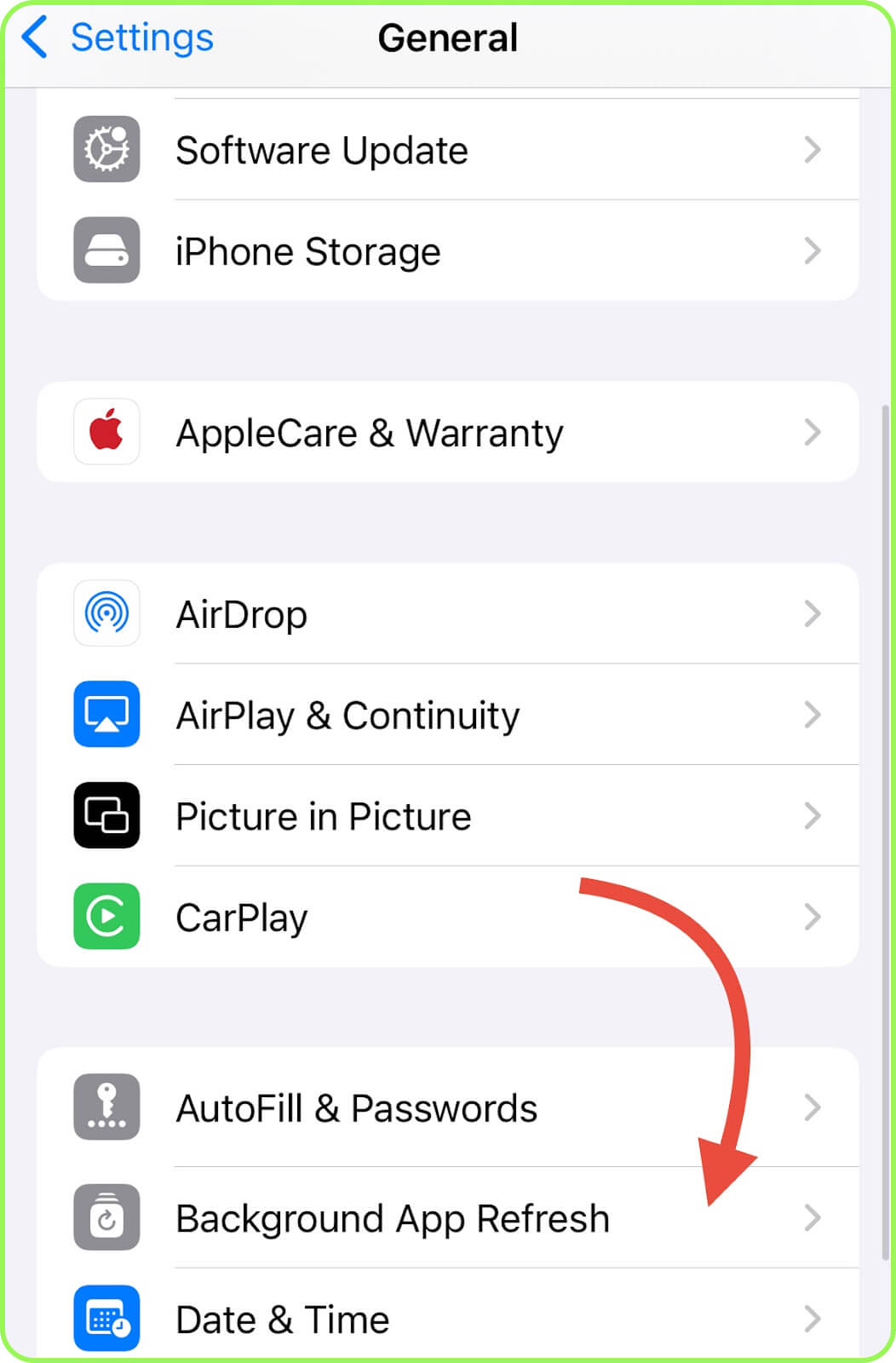
- iPhone: choose «General», then «Background App Refresh», go to Sporify, and turn it off.
- Android: Go to «Apps», select Spotify, tap on «Mobile Data & Wi-Fi», and turn it off «Background Data».
If you want to use Spotify only over Wi‑Fi to save the most data, you can prevent it from using mobile internet. First, open your phone’s «Settings», then:
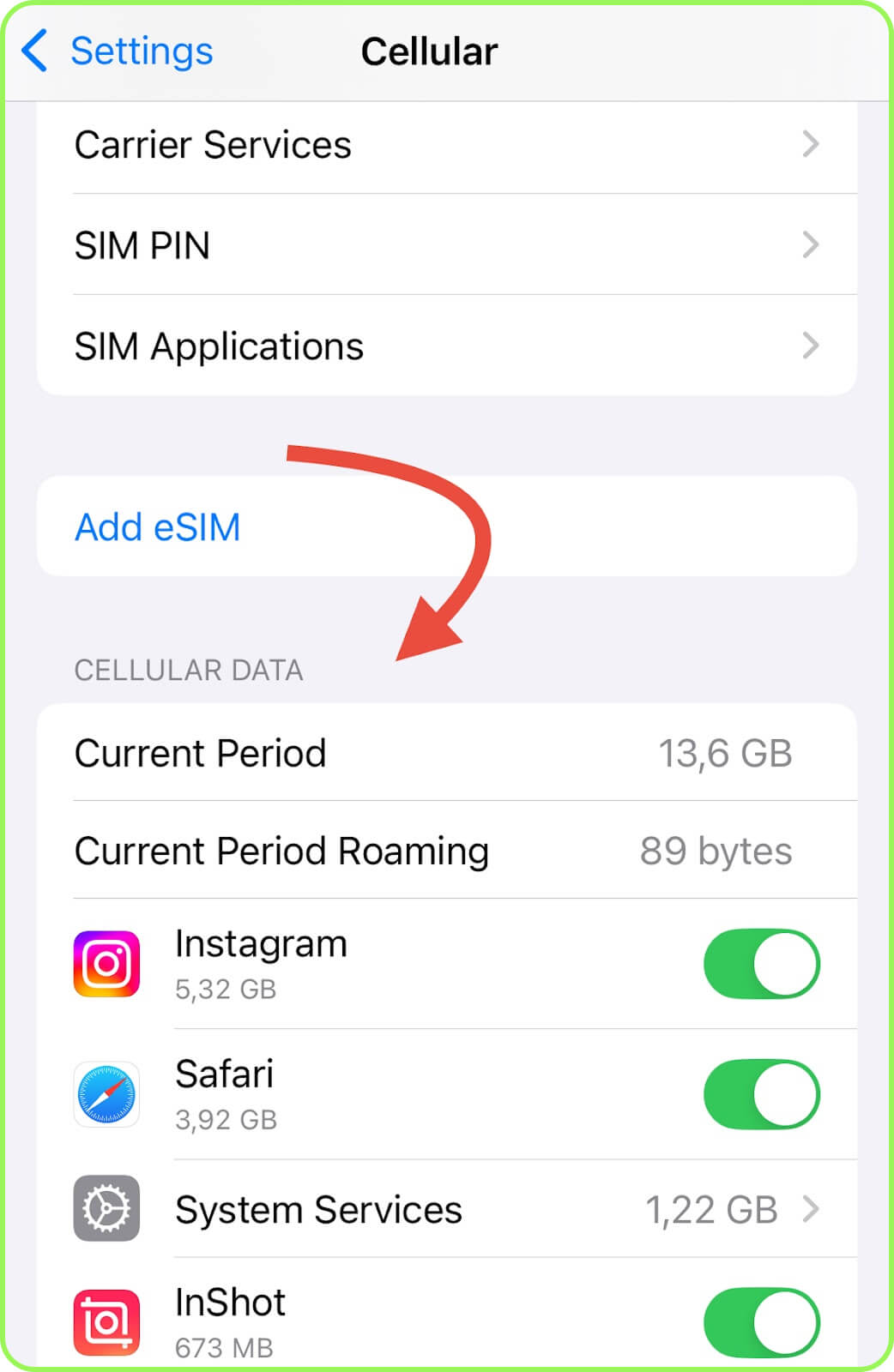
- iPhone: Go to «Cellular», and under «Cellular Data» disable Spotify.
- Android: Open the «Apps», select «Spotify», then choose «Data Usage» («Mobile Data and Wi-Fi») and turn it off «Mobile Data».
Conclusion
Even if you plan to use Spotify regularly while traveling, a small package may be sufficient, for example a 3 GB travel eSIM for New Zealand or France. On average, you will use only about 80-160 MB per day, and with Data Saverenabled, even less, around 20-40 MB. We also recommend turning off the app’s background activity to further reduce data consumption.