How Much Mobile Data Does Instagram Really Use?
Instagram is one of the data-heavy apps due to its video content. However, how much data you use largely depends on your activity: scrolling through your feed or sending text messages consumes very little, while watching Reels and Stories uses significantly more. Uploading your own content is another factor that adds to data usage. Also keep in mind that, while travelling, many people use more data because they share content on Instagram more actively than they do in everyday life.
At PrimaSIM, we’ll give you an overview of Instagram’s typical data consumption and recommend mobile eSIM plans for your trips based on your usage habits.
Instagram Data Usage
Statistics show that the average casual user consumes around 300-400 MB per hour on Instagram. This includes a mix of activities such as viewing Stories, watching Reels, scrolling through the feed, and sending messages. More detailed breakdowns can be found in the table below.
| Type of activity | MB/hour |
| Scrolling through the feed | from 100 to 150 MB |
| Sending messages | 1-5 KB/message |
| Watching Stories | from 200 to 500 MB |
| Watching Reels | from 400 from 600 MB |
| Uploading photo | from 2 to 4 MB per photo |
| Uploading video | from 7 to 10 MB per video |
Which eSIM Plan Is Best for Using Instagram?
If you’re going on a short 5-10 day trip and plan to use Instagram moderately (mostly for messaging, scrolling through your feed, and posting photos to Stories) a 3-5 GB plan should be sufficient. This will also allow you to use other basic travel apps.
However, if you plan to watch Reels and Stories more actively, a larger 10-15 GB plan is a better fit. And if you also want to go live on Instagram, a 20 GB plan is recommended. At PrimaSIM, we offer all these travel esim plans for different countries.
How to Reduce Mobile Data Usage on Instagram
We recommend turning off background activity in the settings (automatic loading of your feed, videos, and other content even when you’re not actively using the app):
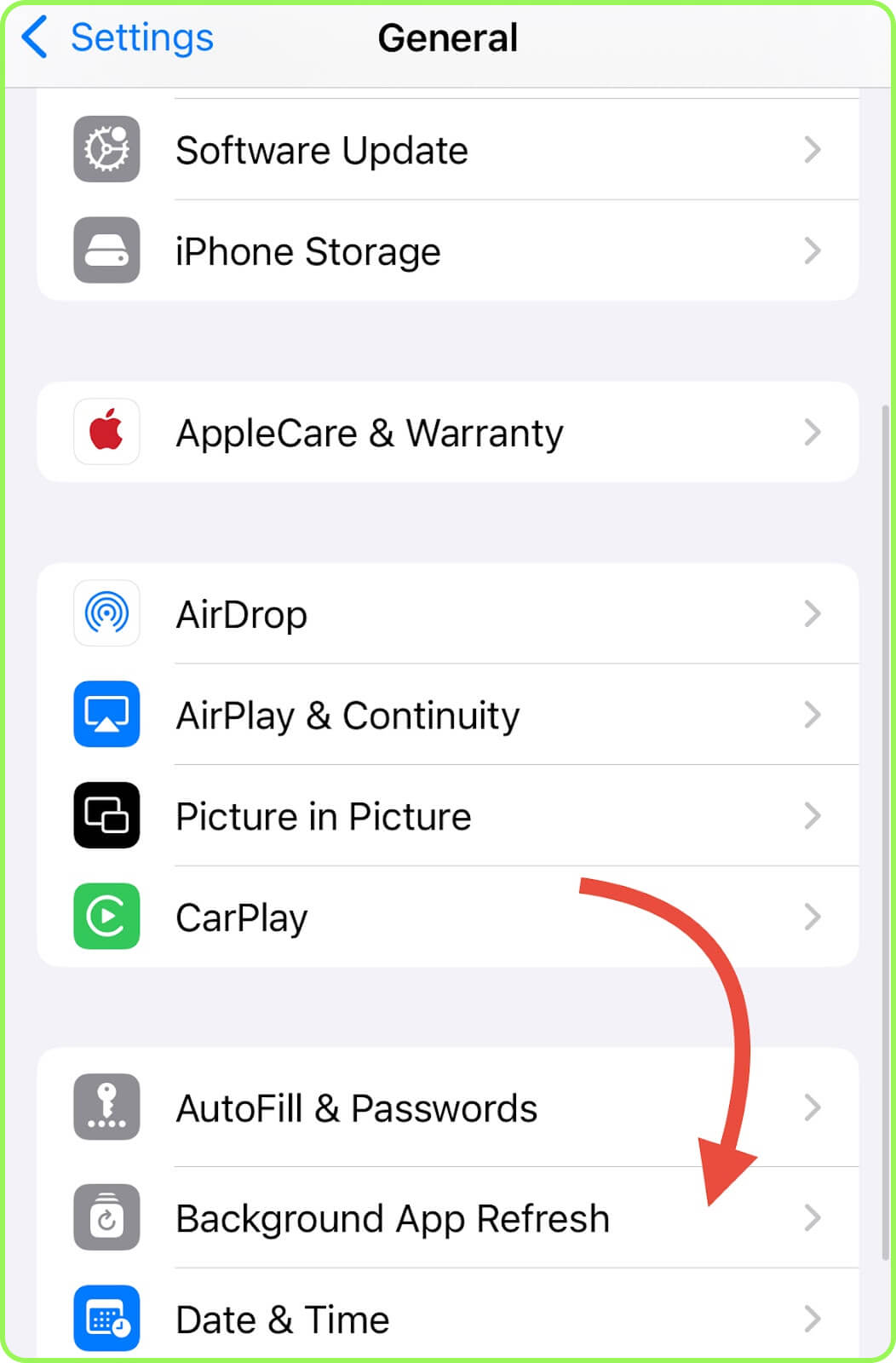
- iPhone: Open «Settings», run to «General», tap «Background App Refresh», find Instagram, and disable it.
- Android: Open «Settings», go to «Apps», select «Instagram», tap «Mobile Data & Wi-Fi», and turn off «Background Data».
You can also restrict this app to Wi-Fi only, preventing it from using mobile data:
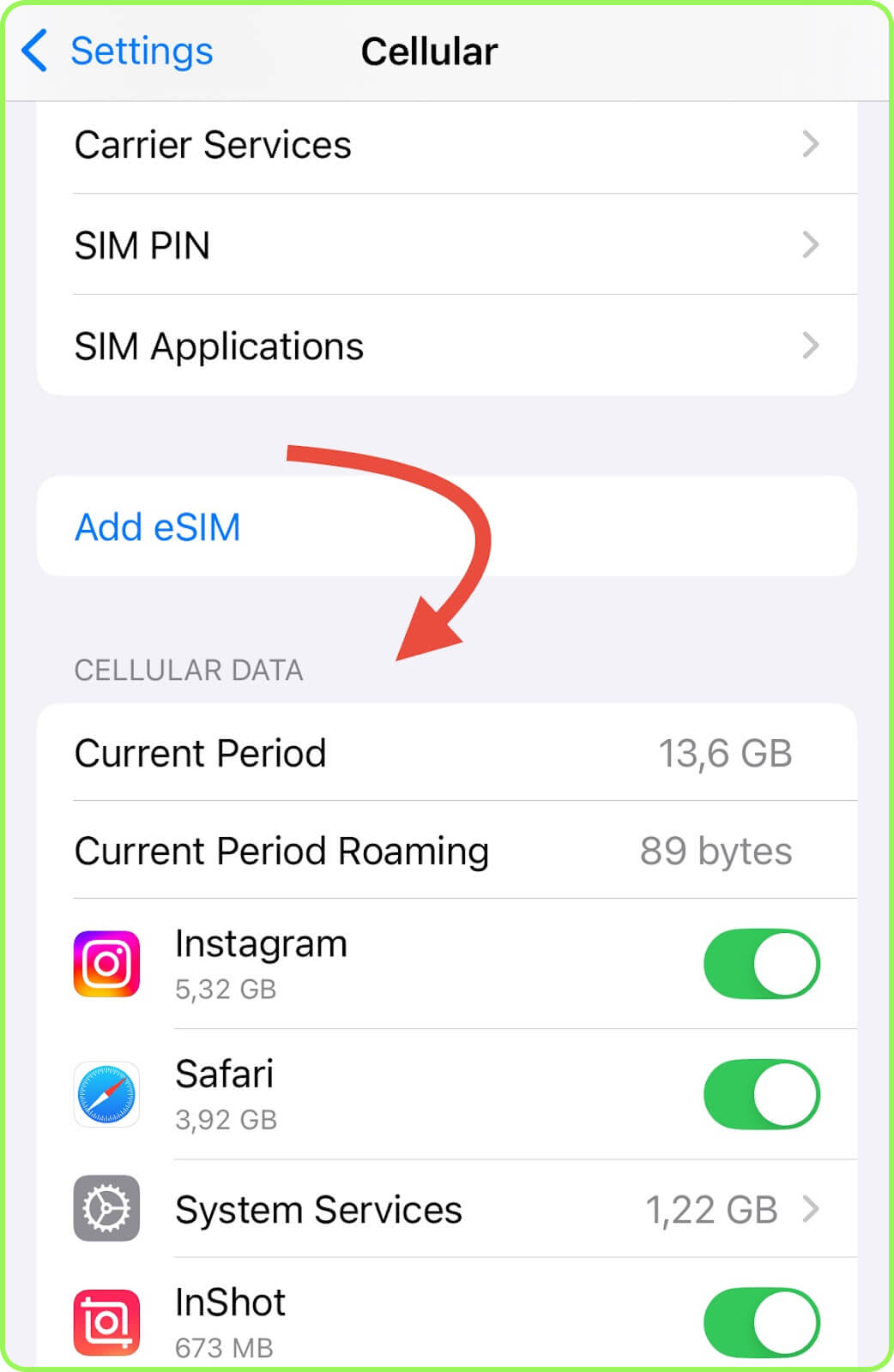
- iPhone: Open «Settings», go to «Cellular», and under «Cellular Data» turn off Instagram.
- Android: Open «Settings», then «Apps» and select «Instagram». Then go to «Mobile Data and Wi-Fi» (or «Data usage») and turn off «Mobile Data».
Conclusion
On average, Instagram consumes around 300-400 MB per hour. With minimal Reels viewing, data usage can drop to 100-200 MB per hour, while heavy Reels activity can push it up to 600-700 MB per hour. In any case, you can find a suitable PrimaSIM eSIM plan to match your usage.