WhatsApp: How Much Mobile Data Does It Really Use?
WhatsApp is generally not a heavy app in terms of mobile usage, but the amount of internet it consumes depends on how you interact with it. While travelling abroad, travelers typically rely on more data for calls with family or work-related meetings when working remotely. Voice and text messages use very little, sending photos consumes more, and video calls or sending and receiving videos require the most. Below is a detailed overview of WhatsApp usage, along with tips from PrimaSIM on how to reduce it during your trip..
Calculation
This app uses very little data for text messaging, but consumption increases with video calls. A 15-minute call with family or for work typically uses 45-75 MB, while a longer one-hour call can consume 180-300 MB. Sending a 10-minute voice message uses about 5 MB. A more detailed breakdown can be found in the table below.
| Activity | MB/minute |
| Video call | from 3 to 5 MB per minute |
| Voice message – 1 minute | 0.5-0.7 MB |
| Sending a photo | 1-2 MB per photo |
| Sending a video | 5-10 MB per minute |
| Text message | 1 MB per 100 messages |
How to Reduce Mobile Data Usage in WhatsApp
The first thing you should do is disable background activity. WhatsApp can use up to 20 MB per hour by downloading images, videos, and text messages, even when you’re not actively using the app. Here’s how to do it:
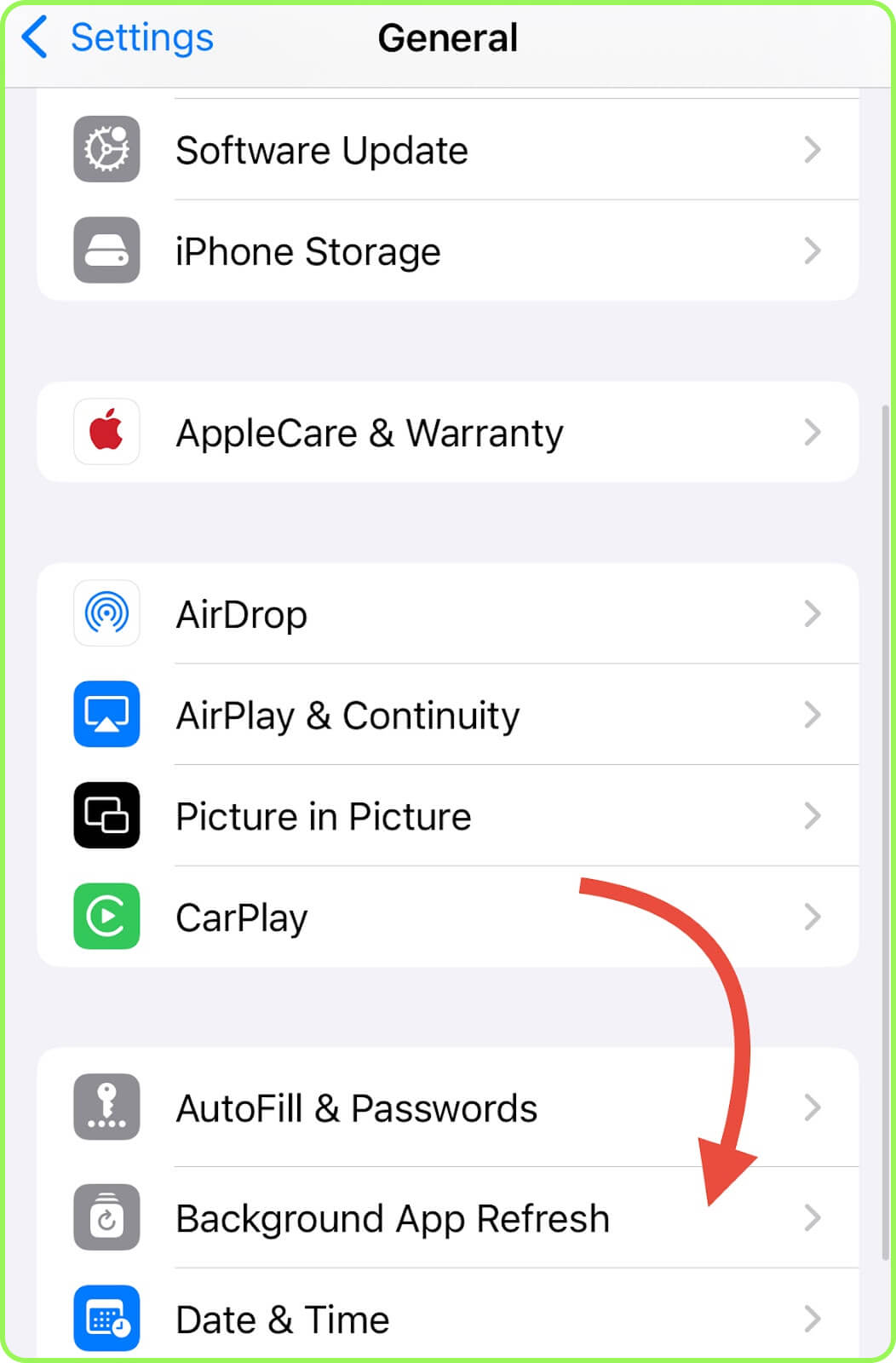
- iPhone: Open «Settings», choose «General», tap «Background App Refresh», find WhatsApp, and deactivate it
- Android: Open «Settings», run to «Apps», choose WhatsApp, tap «Mobile Data & Wi-Fi», and turn off «Background Data».
If you don’t plan to use WhatsApp over mobile data at all, you can restrict it to Wi-Fi only. Here’s how to set it up:
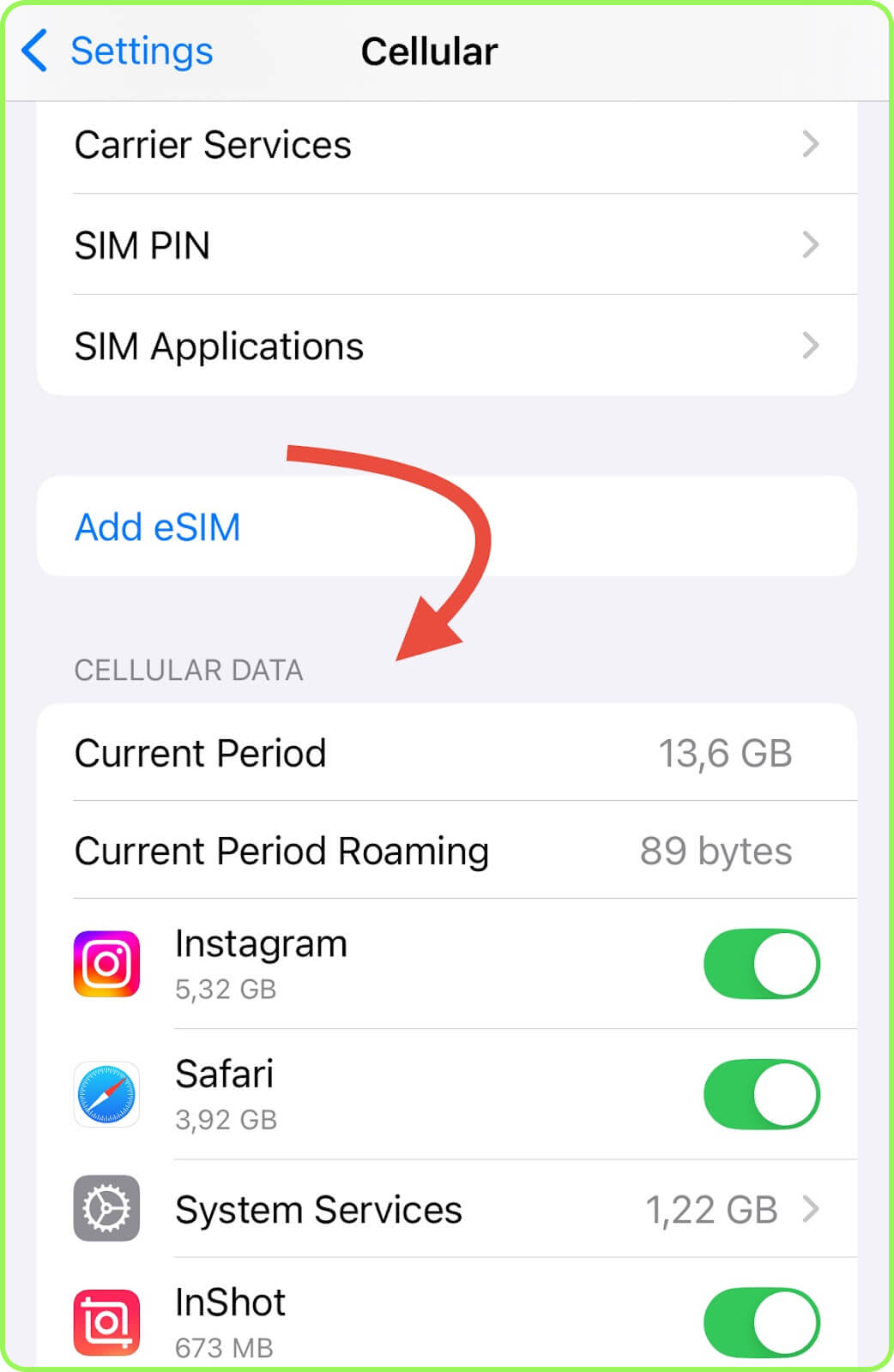
- iPhone: Open «Settings», open «Cellular», and under «Cellular Data» turn off WhatsApp.
- Android: Open «Settings», then «Apps» and choose WhatsApp. Then go to «Mobile Data & Wi-Fi» (or «Data usage») and turn off «Mobile Data».
Conclusion
WhatsApp is far from being a heavy data-consuming app, so even if you have a limited amount of mobile data while traveling, you can use it freely. To save data, we recommend disabling background activity and focusing on text and voice messages rather than video calls. To stay connected with family and be able to make video calls on WhatsApp even abroad. Choose a suitable prepaid eSIM plan from PrimaSIM.