How Much Data Do You Need for Snapchat?
Snapchat is a convenient and multifunctional app that’s perfect for traveling, allowing you to share photos and videos with friends and family instantly. In terms of data usage, it falls into the «medium» range, which means you can use it even with a small travel eSIM plan. Our PrimaSIM team will explain how many MB different actions in the app consume, share tips on how to reduce internet usage, and recommend the best prepaid plans for using Snapchat smoothly while abroad.
Snapchat Data Usage
On average, Snapchat users spend around 1-6 MB per minute. This figure reflects a mix of activities, including viewing Stories, videos, and chats. Data usage can be higher if you focus less on text chats and more on consuming visual content, using advanced filters, and similar features. A more detailed breakdown is provided in the table below.
| Type of activity | Internet usage |
|---|---|
| Text chat | 0.5–2 MB per hour |
| Sending photo snap | 1–3 MB per snap |
| Sending short video snap (10 sec) | 5–10 MB per snap |
| Viewing Stories | 1–6 MB per minute |
| Watching Discover content (videos) | 50–100 MB per 5 minutes |
| Video call | 5–20 MB per minute |
| Group video call | 10–30 MB per minute |
| Using filters/Lenses (photo) | +1–2 MB per snap |
| Using filters/Lenses (video) | +5–10 MB per snap |
How to Reduce Mobile Data Usage on Snapchat
Background activity refers to receiving notifications, syncing chats, and preloading Discover feeds and other data, which happens even when the app is closed. In Snapchat this can consume up to 50-100 MB of data per day. To save on usage you can disable this feature as follows:
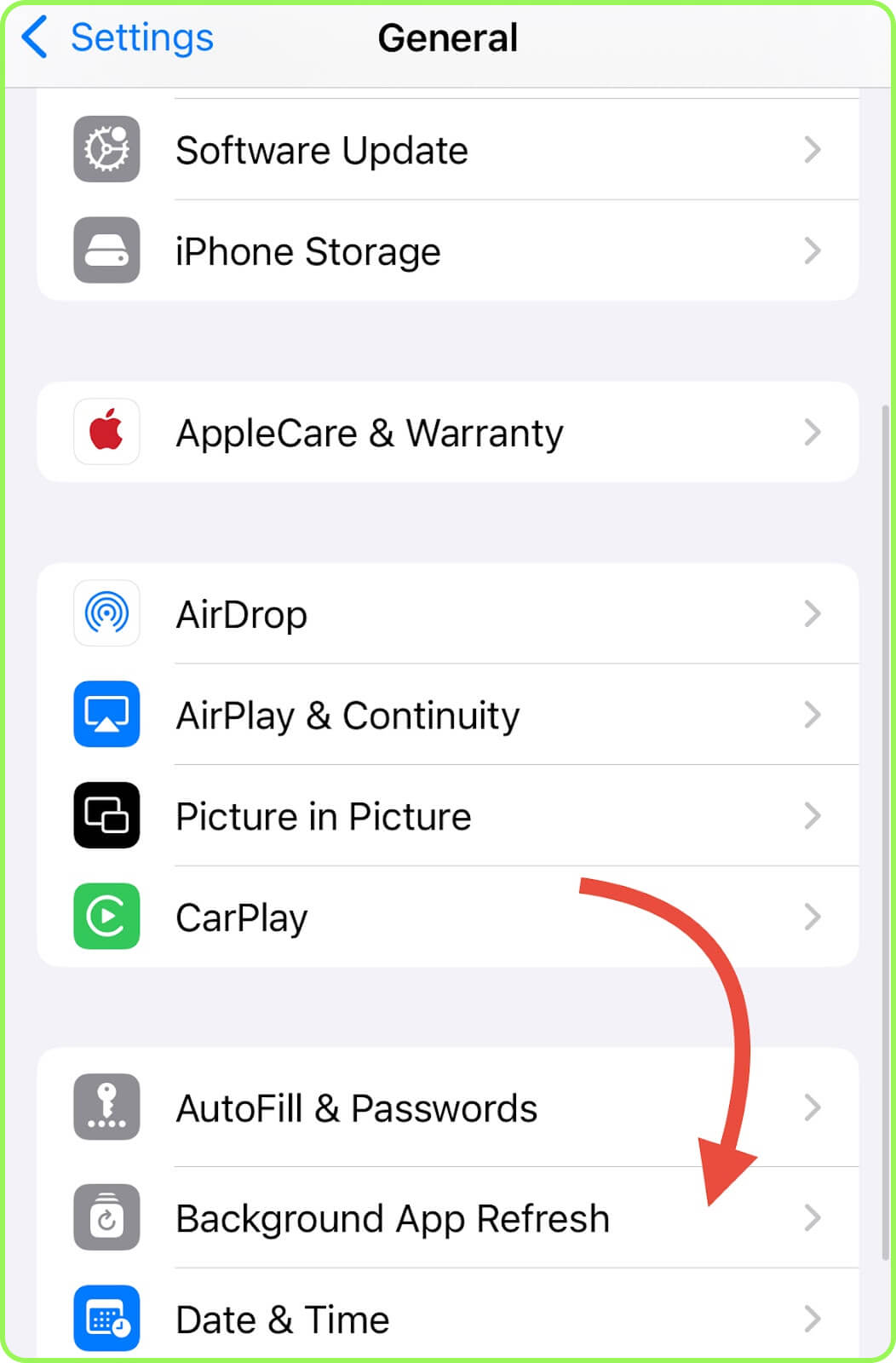
- iPhone: Open «Settings», choose «General», then «Background App Refresh», scroll to Snapchat, and turn it off.
- Android: Go to the «Settings», navigate to «Apps», choose «Snapchat», select «Mobile Data & Wi-Fi», and turn it off «Background Data».
When traveling, if you plan to use a small travel eSIM, it can make sense to completely disable mobile data access for the app at times. To make Snapchat work only on Wi-Fi, do the following:
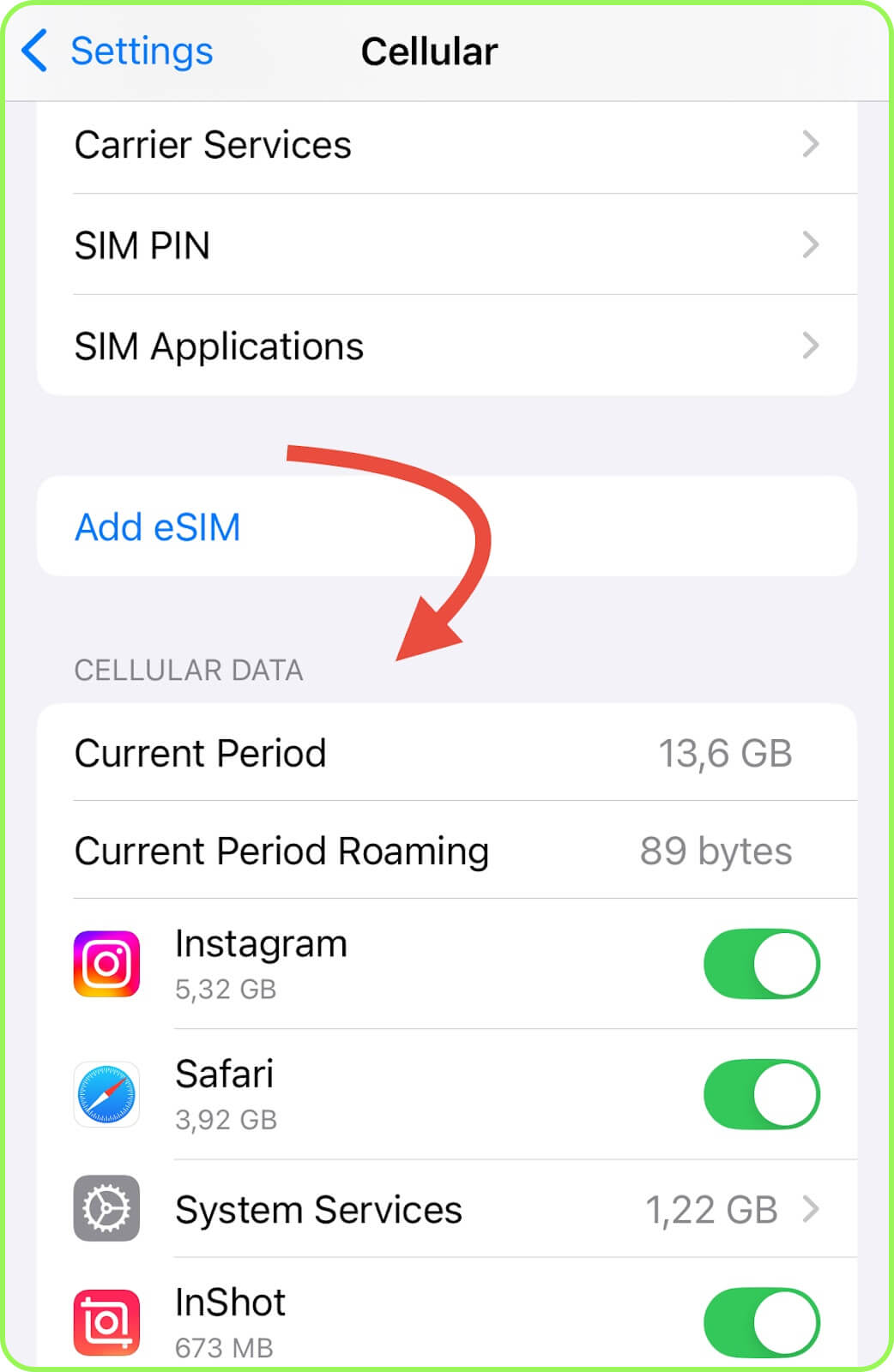
- iPhone: Run to «Settings», select «Cellular», and under «Cellular Data» disable Snapchat.
- Android: Open «Settings», find the «Apps», choose «Snapchat», then tap on «Data Usage» («Mobile Data and Wi-Fi») and turn it off «Mobile Data».
Conclusion
Snapchat is generally not a heavy data consumer, especially if you focus mainly on text messages and sending or viewing photos and short videos (~100-300 MB/day). However, usage can reach 500 MB-1 GB per day when using all of the app’s features.
No matter how actively you use Snapchat while traveling, you’ll find a suitable travel eSIM with us. Small packages are available with 1, 3, or 5 GB, while larger options include 15 GB, 20 GB, or even 50 GB. For example, the most popular choice for Snapchat users traveling to Italy is a 3 GB eSIM for $5.99. For more information on other plans for stable internet and app usage abroad, check out the other sections of our website.